Elements of Data Science SDS 322E H. Sherry Zhang Department of Statistics and Data Sciences
Get the repository for today: library(usethis) create_from_github("SDS322E-26FALL/0702-lubridate", fork = FALSE)
Learning objectives
Create date and datetime objects from
date/ datetime components: make_date(), make_datetime()
character strings:
as_date(), as_datetime() (base version: as.Date())ymd(), mdy(), dmy(), etc
Extract components from date/datetime objects: year(), month(), day(), wday(), yday(), week(), etc
Plot time series data with ggplot2, format axes with date/datetime scales: scale_x_date(), scale_x_datetime()
All sorts of date-time data
|> select (year, month, day, hour, minute, arr_time, time_hour)
# A tibble: 336,776 × 7
   year month   day  hour minute arr_time time_hour
  <int> <int> <int> <dbl>  <dbl>    <int> <dttm>
1  2013     1     1     5     15      830 2013-01-01 05:00:00
2  2013     1     1     5     29      850 2013-01-01 05:00:00
3  2013     1     1     5     40      923 2013-01-01 05:00:00
4  2013     1     1     5     45     1004 2013-01-01 05:00:00
5  2013     1     1     6      0      812 2013-01-01 06:00:00
# ℹ 336,771 more rows
Conversion among:
arguably recognizable datetime characters: “830” for 8:30am
Proper datetime/ date objects: objects of class Date and POSIXct
Components of date times: year, month, day, etc
Create date/datetime objects from components make_date() combines date components into a Date object.
# .keep = "used" shows only the relevant columns in mutate(), rather than all the columns |> mutate (depature = make_date (year, month, day), .keep = "used" )
# A tibble: 336,776 × 4
   year month   day depature
  <int> <int> <int> <date>
1  2013     1     1 2013-01-01
2  2013     1     1 2013-01-01
3  2013     1     1 2013-01-01
4  2013     1     1 2013-01-01
5  2013     1     1 2013-01-01
# ℹ 336,771 more rows
make_datetime() creates a date-time object (dttm) from individual components.
|> mutate (depature = make_datetime (year, month, day, hour, minute), .keep = "used" )
# A tibble: 336,776 × 6
   year month   day  hour minute depature
  <int> <int> <int> <dbl>  <dbl> <dttm>
1  2013     1     1     5     15 2013-01-01 05:15:00
2  2013     1     1     5     29 2013-01-01 05:29:00
3  2013     1     1     5     40 2013-01-01 05:40:00
4  2013     1     1     5     45 2013-01-01 05:45:00
5  2013     1     1     6      0 2013-01-01 06:00:00
# ℹ 336,771 more rows
Example: construct depature time
|> mutate (hour = dep_time %/% 100 ,minute = dep_time %% 100 ,dep_time2 = make_datetime (year = year, month = month, day = day, hour = hour, min = minute),.keep = "used" )
# A tibble: 336,776 × 7
   year month   day dep_time  hour minute dep_time2
  <int> <int> <int>    <int> <dbl>  <dbl> <dttm>
1  2013     1     1      517     5     17 2013-01-01 05:17:00
2  2013     1     1      533     5     33 2013-01-01 05:33:00
3  2013     1     1      542     5     42 2013-01-01 05:42:00
4  2013     1     1      544     5     44 2013-01-01 05:44:00
5  2013     1     1      554     5     54 2013-01-01 05:54:00
# ℹ 336,771 more rows
%/% is integer division, %% is modulo operation (remainder after division). They are base R arithmetic operators.
Create date objects from character strings as.Date() (base) or as_date() (lubridate) converts character strings to Date objects.
Although the prints are identical before and after, they are internally treated differently (they have different classes). We can check with class():
class (as.Date ("2020-01-01" ))
Create datetime objects from character strings
[1] "2020-01-02 03:04:05"
<- as_datetime ("2020-01-02 03:04:05" )
[1] "2020-01-02 03:04:05 UTC"
Here POSIXct is a date-time class that represents the number of seconds since 1970-01-01 (the “epoch”). Sometimes you may also see POSIXlt in the wild, which is a list-based date-time class (stores a list of date-time components).
This is also how the time_hour variable stored in nycflights13::flights dataset:
|> select (time_hour) |> head (1 )
# A tibble: 1 × 1
  time_hour
  <dttm>
1 2013-01-01 05:00:00
Convert from a proper time object to time components These are vector functions from the lubridate package
[1] "2020-01-02 03:04:05 UTC"
month (our_datetime, label = TRUE )
[1] Jan
12 Levels: Jan < Feb < Mar < Apr < May < Jun < Jul < Aug < Sep < ... < Dec
Parse date-time from character strings If your date/ datetime character strings are in relatively standard format, there are shortcuts:
[1] "2020-01-01 05:00:00 UTC"
ymd_hm ("2020-01-01 05:01" )
[1] "2020-01-01 05:01:00 UTC"
ymd_hms ("2020-01-01 05:01:02" )
[1] "2020-01-01 05:01:02 UTC"
Example: ggplot2 downloads over time
<- cranlogs:: cran_downloads (packages = "ggplot2" ,from = "2024-01-01" , to = "2024-12-31" ) |> as_tibble ()
# A tibble: 366 × 3
  date       count package
  <date>     <dbl> <chr>
1 2024-01-01 51694 ggplot2
2 2024-01-02 67030 ggplot2
3 2024-01-03 71770 ggplot2
4 2024-01-04 71122 ggplot2
5 2024-01-05 66201 ggplot2
# ℹ 361 more rows
Example: ggplot2 downloads over time
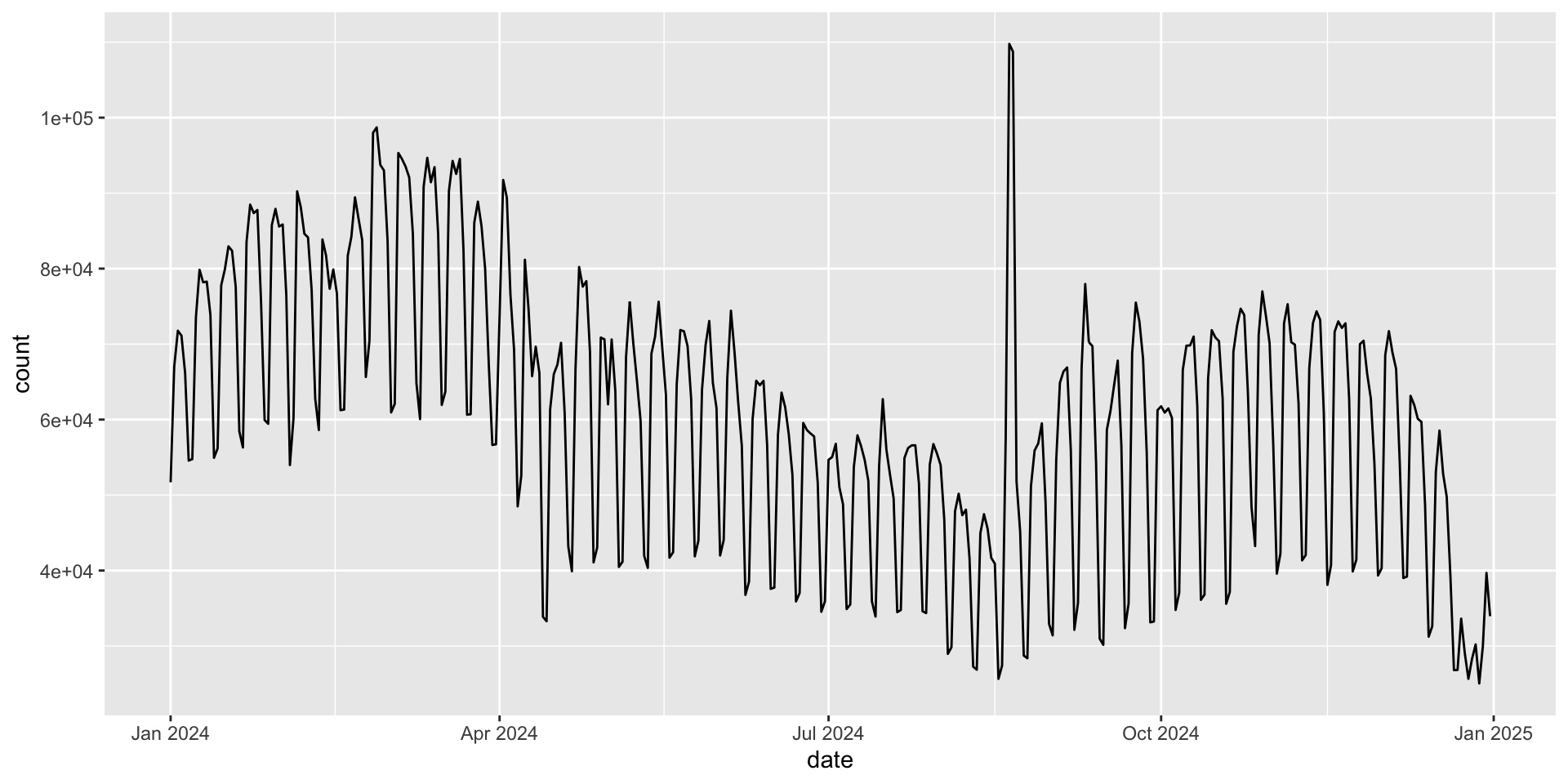
|> ggplot (aes (x = date, y = count)) + geom_line ()
Maybe the y-axis can be formatted better 🤔 - where do you think we should go to change the y-axis labels?
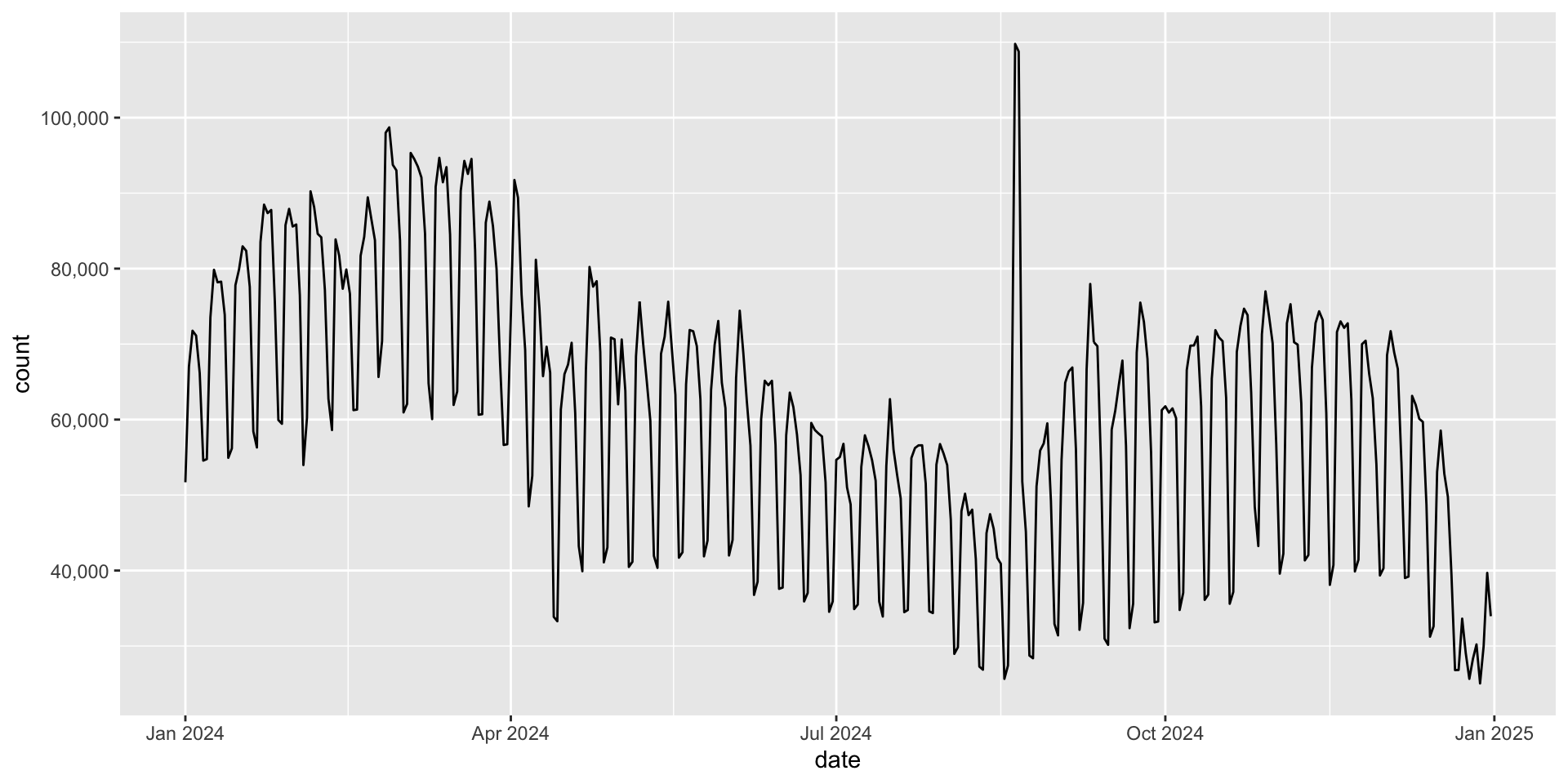
Example: ggplot2 downloads over time Similar to the labeling in facets, we can use scale_y_continuous(labels = ...) to format the y-axis labels.
|> ggplot (aes (x = date, y = count)) + geom_line () + scale_y_continuous (labels = scales:: label_comma ())
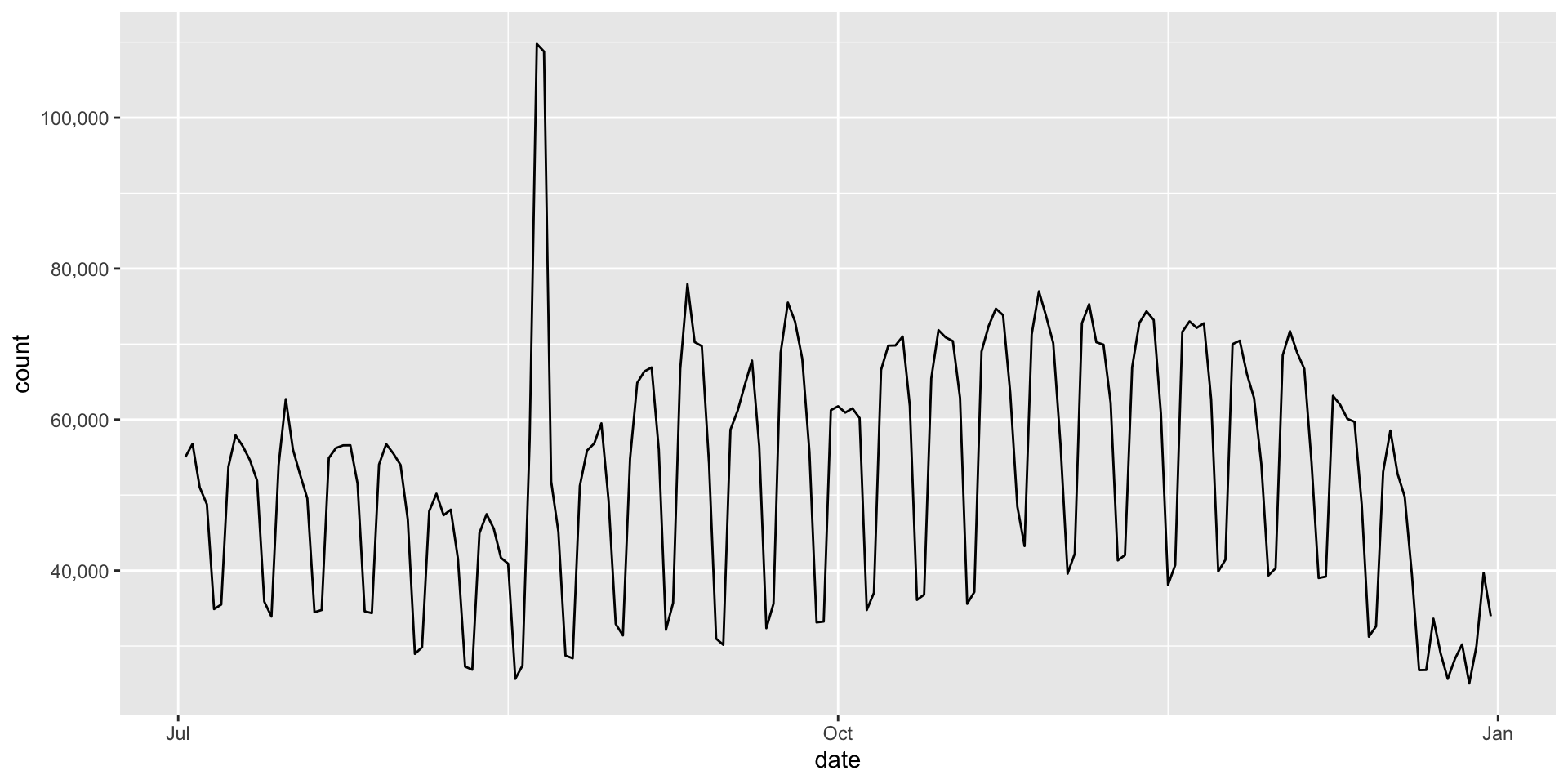
Zoom in for the second half of the year
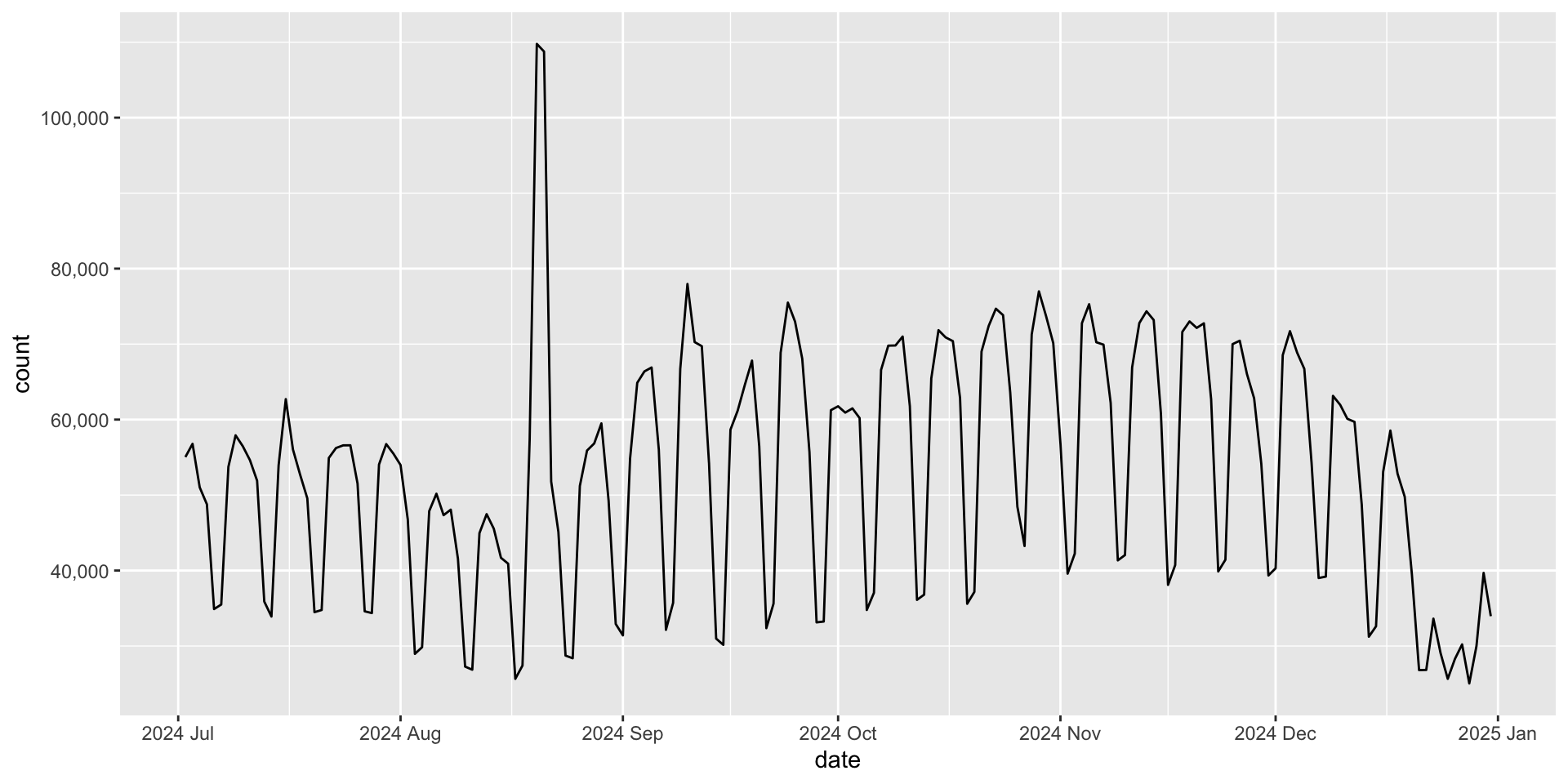
|> filter (date > as.Date ("2024-07-01" )) |> ggplot (aes (x = date, y = count)) + geom_line () + scale_y_continuous (labels = scales:: label_comma ())
Maybe we want to format the x-axis better 🤔
scale_x_date
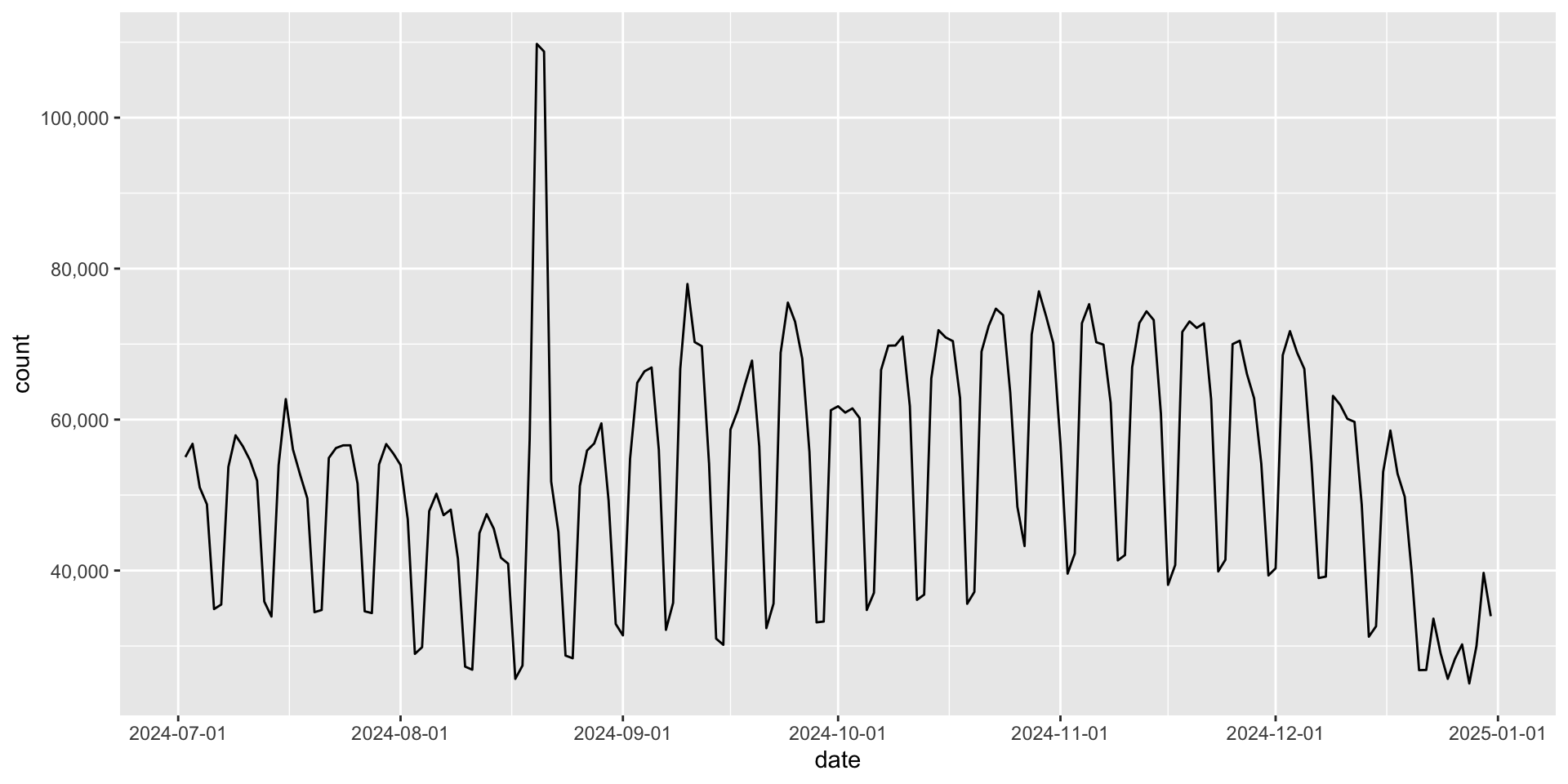
You can change the number of breaks in scale_x_date() with literal text:
date_breaks = "1 month" (or "2 weeks", "3 days", etc)
|> filter (date > as.Date ("2024-07-01" )) |> ggplot (aes (x = date, y = count)) + geom_line () + scale_y_continuous (labels = scales:: label_comma ()) + scale_x_date (date_breaks = "1 month" )
scale_x_date
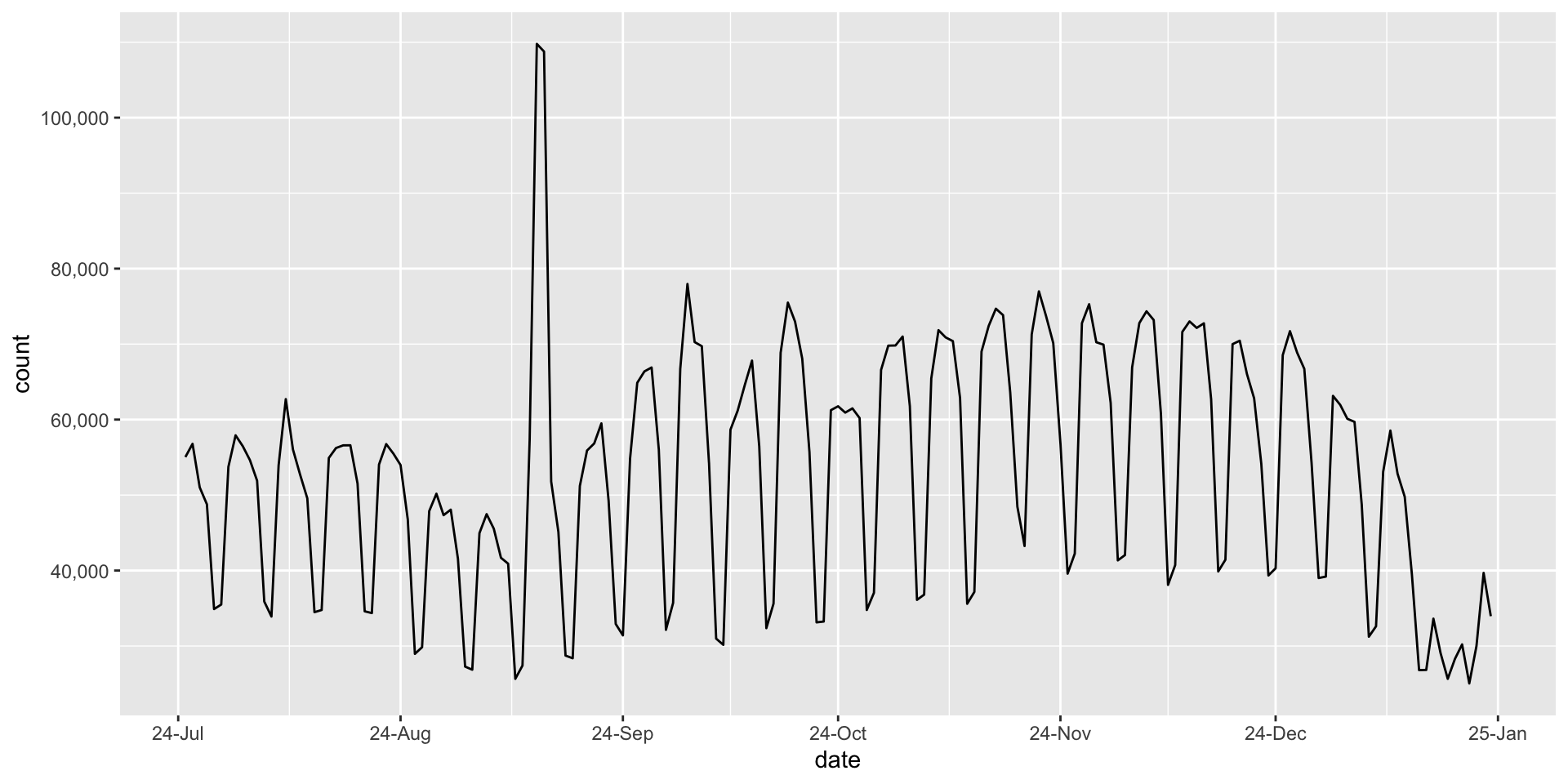
You can change the labels in scale_x_date() with date_labels = "..." (see next slide for a list of options)
|> filter (date > as.Date ("2024-07-01" )) |> ggplot (aes (x = date, y = count)) + geom_line () + scale_y_continuous (labels = scales:: label_comma ()) + scale_x_date (date_breaks = "1 month" , date_labels = "%Y %b" )
A list of date labels
Year
%Y4 digit year
2021
%y2 digit year
21
Month
%mNumber
2
%bAbbreviated name
Feb
%BFull name
February
Day
%dOne or two digits
2
%eTwo digits
02
Time
%H24-hour hour
13
%I12-hour hour
1
%MMinutes
35
%SSeconds
45
One more example
You can also add other symbols, such as -, / in the date_labels argument.
|> filter (date > as.Date ("2024-07-01" )) |> ggplot (aes (x = date, y = count)) + geom_line () + scale_y_continuous (labels = scales:: label_comma ()) + scale_x_date (date_breaks = "1 month" , date_labels = "%y-%b" )
Your time
:: create_from_github ("SDS322E-26FALL/0702-lubridate" , fork = FALSE )
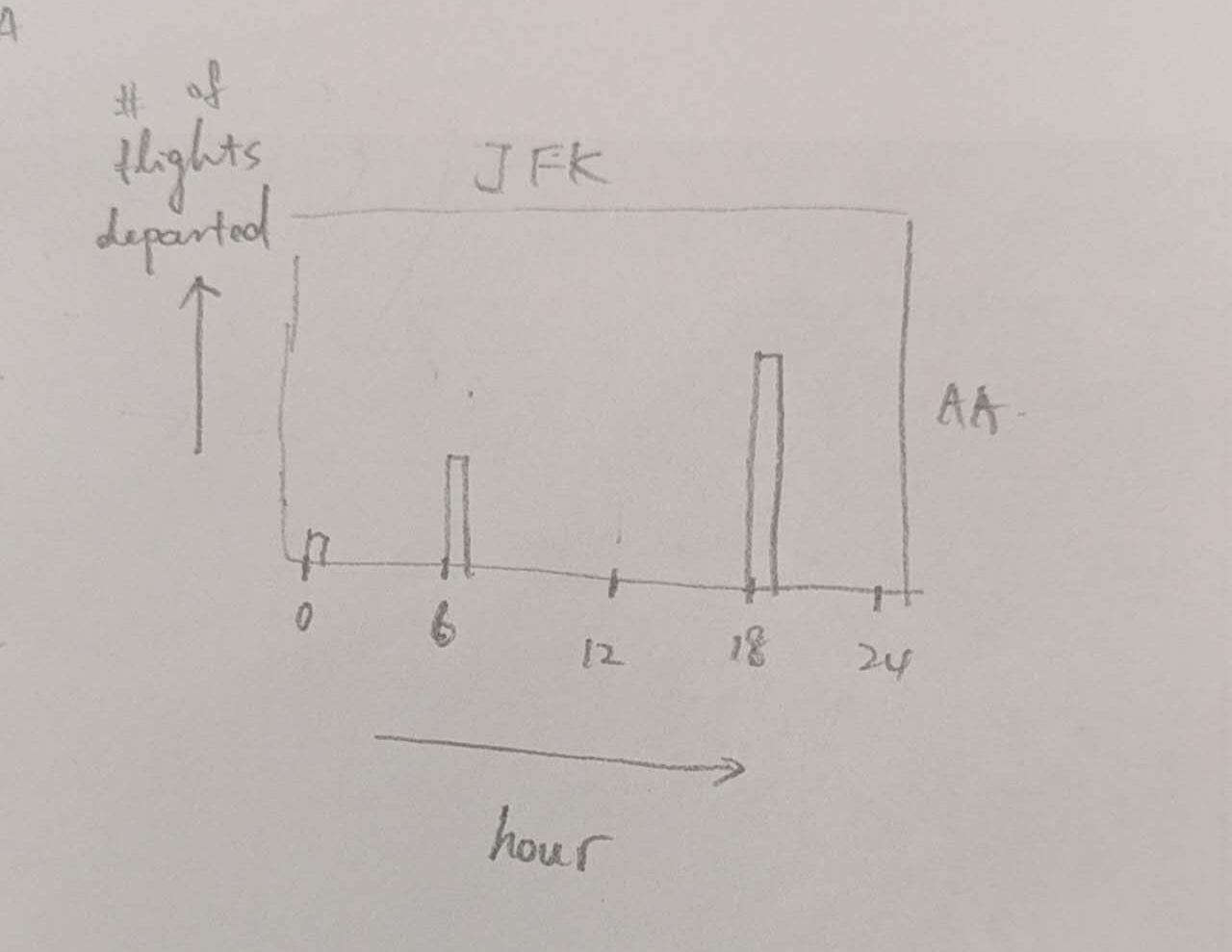
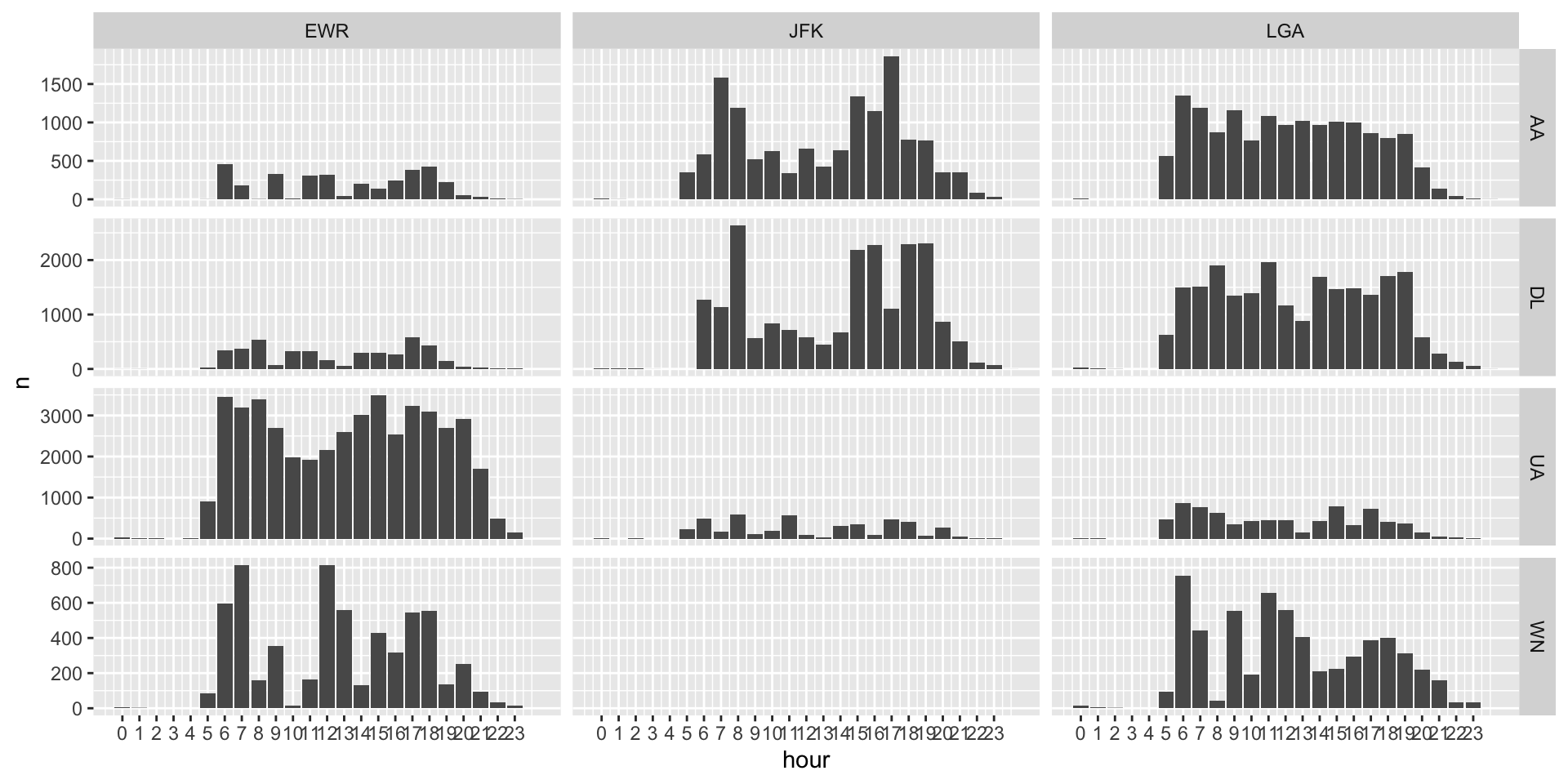
Let’s look at the flights data again, focus only on three carrier: AA, DL, and UA. We can make a plot of the hourly count of flights for each carrier at each of the three airports in NY (EWR, JFK, LGA).
Solution
<- flights |> filter (carrier %in% c ("UA" , "DL" , "AA" , "WN" )) |> mutate (hour = dep_time %/% 100 , minute = dep_time %% 100 ) |> group_by (carrier, origin) |> count (hour) |> ggplot (aes (x = hour, y = n)) + geom_col () + facet_grid (carrier ~ origin, scales = "free_y" ) + scale_x_continuous (breaks = seq (0 , 23 , 1 ))